Employees
Ask questions and can contribute knowledge (even just by forwarding an email, AI extracts and drafts it automatically).
LUMI is an AI-powered knowledge management platform I'm currently designing at Novel Office, a conversational assistant that helps employees navigate scenario-based questions LMS training doesn't cover, backed by a three-tier approval system to keep answers accurate and trustworthy.
Novel Office's existing LMS covers standard procedures, clear, step-by-step training for routine tasks. But real work doesn't stay inside a script. When employees hit an unusual, scenario-based situation, there was no reliable place to find tips, precedent, or judgment calls from people who'd handled it before. That knowledge lived in people's heads, not in a searchable system, so the same questions kept getting re-asked, re-answered, and re-lost.
Give employees a fast, trustworthy way to get answers for situations the LMS doesn't cover, without turning LUMI into an unreliable open chatbot. The goal wasn't just "build an AI assistant"; it was to make sure every answer it gives is accurate, grounded in real experience, and safe to rely on at work.
During the ideation phase, I worked with the team to define who would actually use LUMI and how knowledge would move between them. Rather than starting from assumed personas, we ran brainstorming sessions specifically to test the concept - asking how it could be misused or fail before deciding what it should do. That process surfaced the need for role-based permissions and a structured approval chain, which shaped the four roles below.
Ask questions and can contribute knowledge (even just by forwarding an email, AI extracts and drafts it automatically).
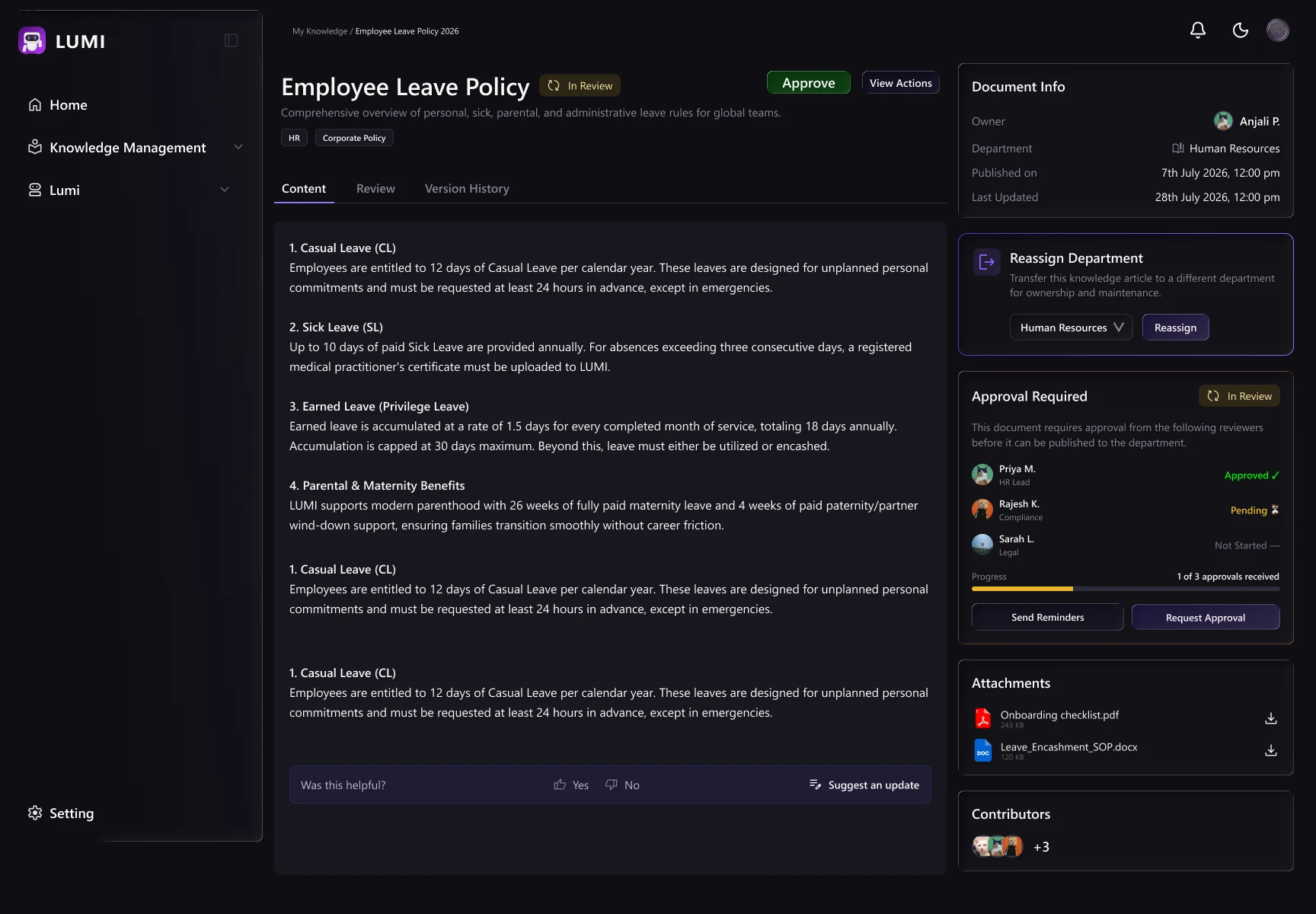
Review and approve knowledge for their department. Cross-Department TLs handle approval when a submission spans more than one department, reviewing in parallel with other TLs.
Manage users, permissions, and the knowledge lifecycle, and personally answer questions LUMI couldn't.
Acts as the retrieval and permission-checking layer, searching only what a user's role and department allow, and routing unanswered questions into a queue instead of guessing.
Defined four distinct roles: Employees, Team Leads and Admins as the people who use LUMI, and LUMI itself as the layer that checks permissions and retrieves answers.
A user’s role and department determine the knowledge they can access.
Sensitive information is excluded before retrieval, rather than being hidden after LUMI generates a response.
Stress-tested the concept by asking “How could this go wrong?” before designing the interface.
Every contributed piece of knowledge requires approval before becoming searchable.
Content is reviewed by the relevant department’s Team Lead.
Knowledge spanning multiple departments requires parallel approval from the relevant Team Leads.
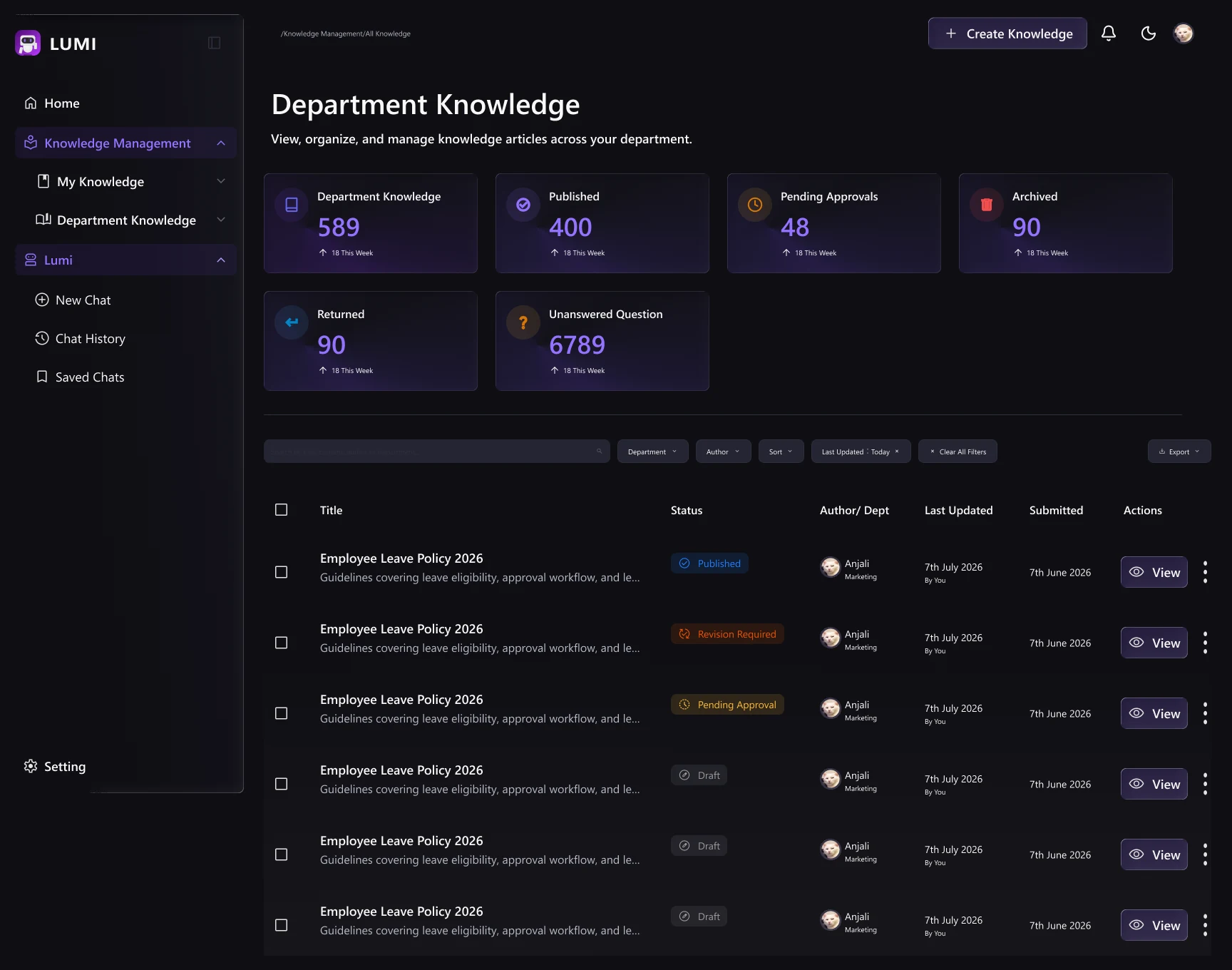
LUMI’s knowledge base grows through a governed contribution → review → publish flow.
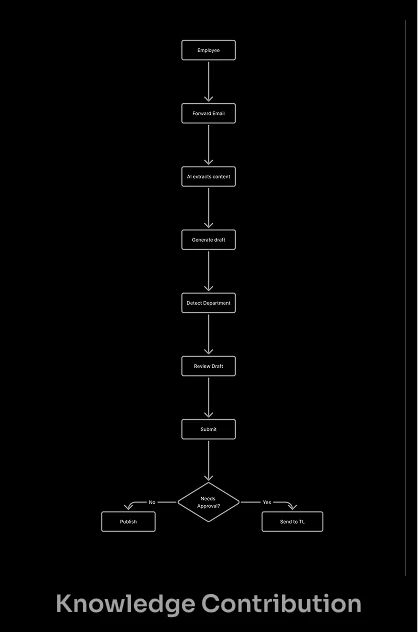
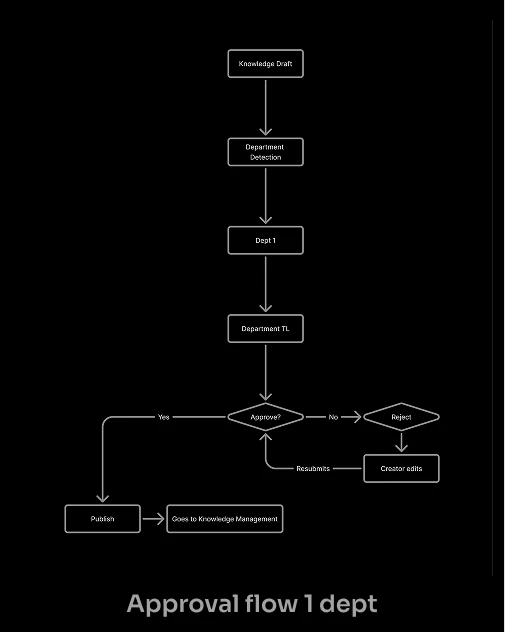
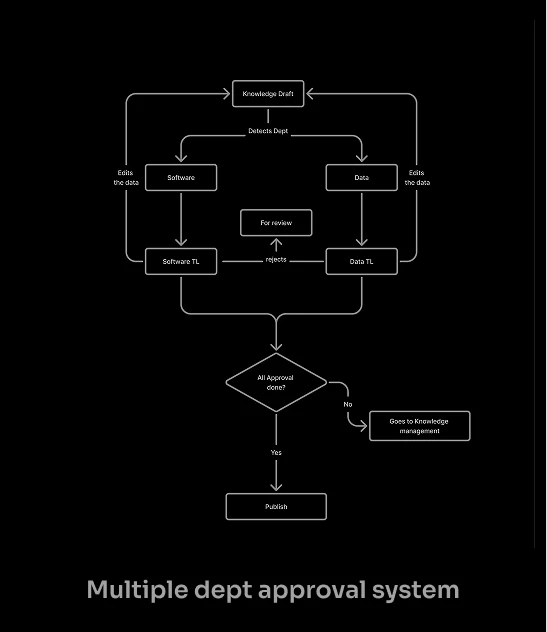
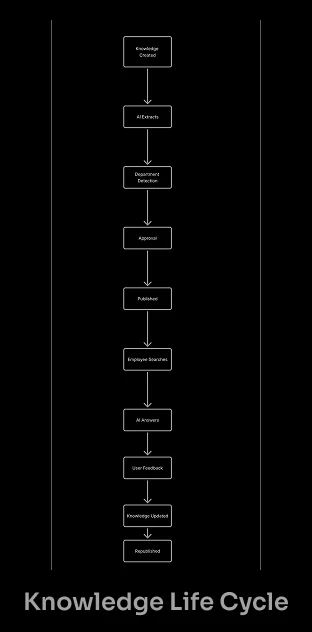
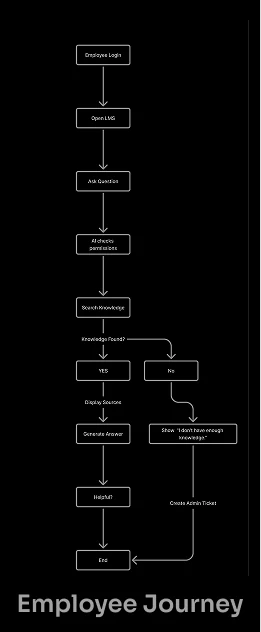
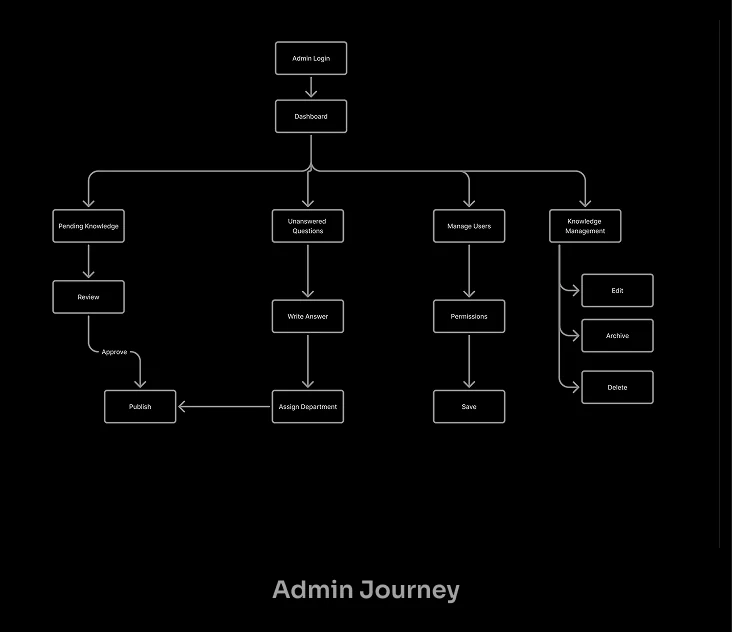
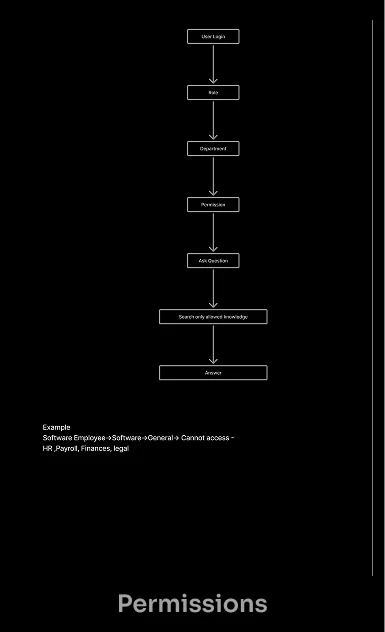
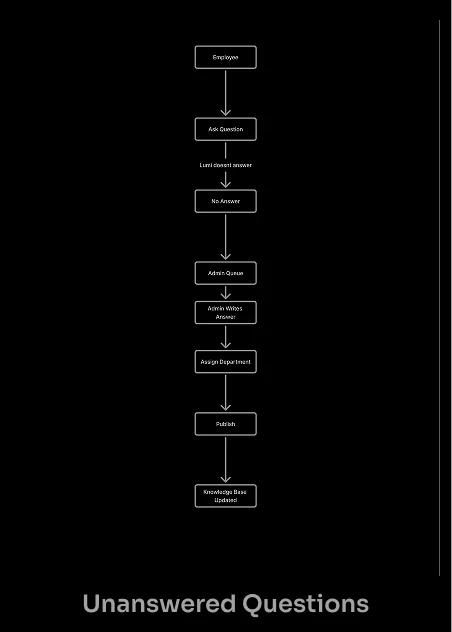
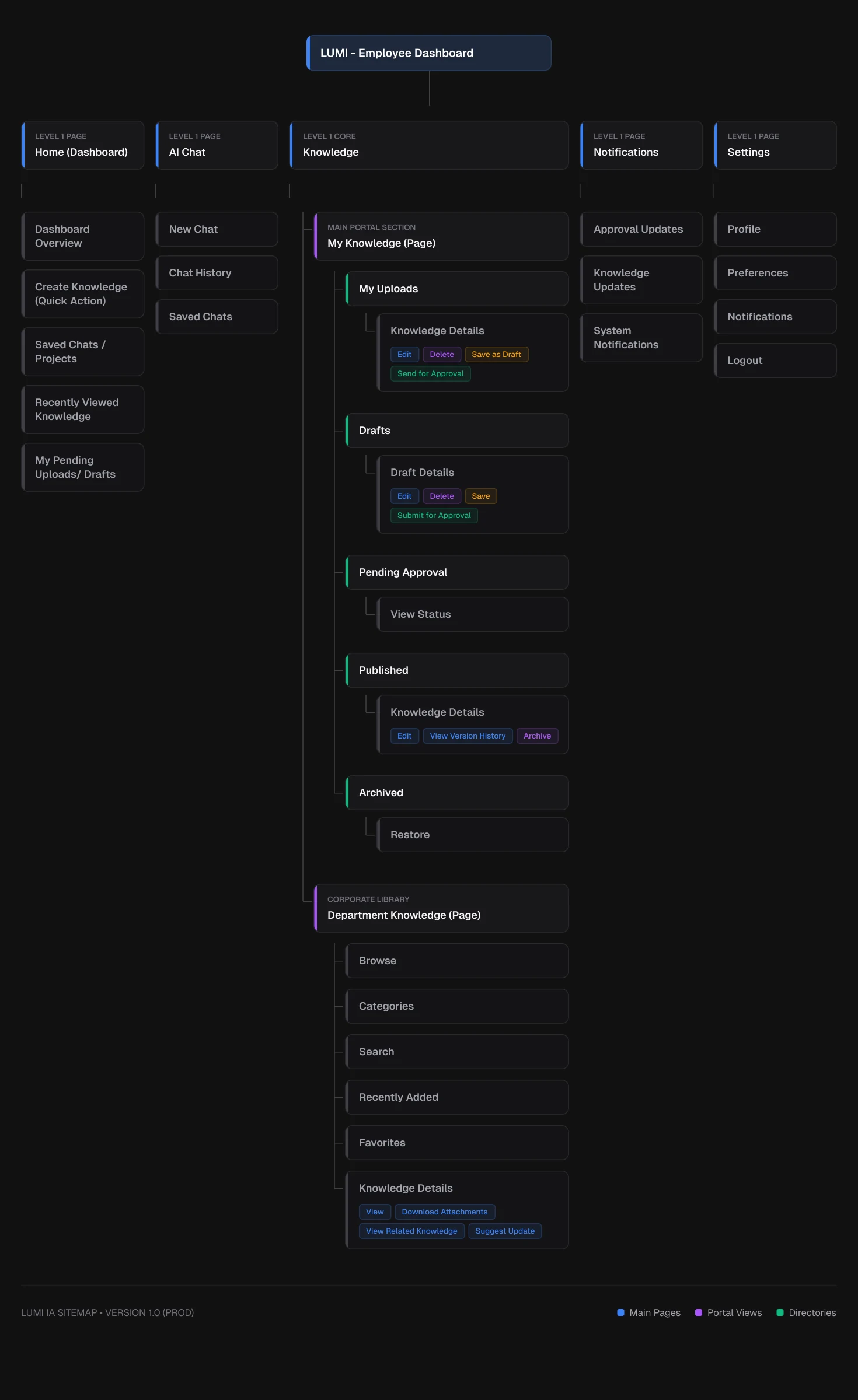
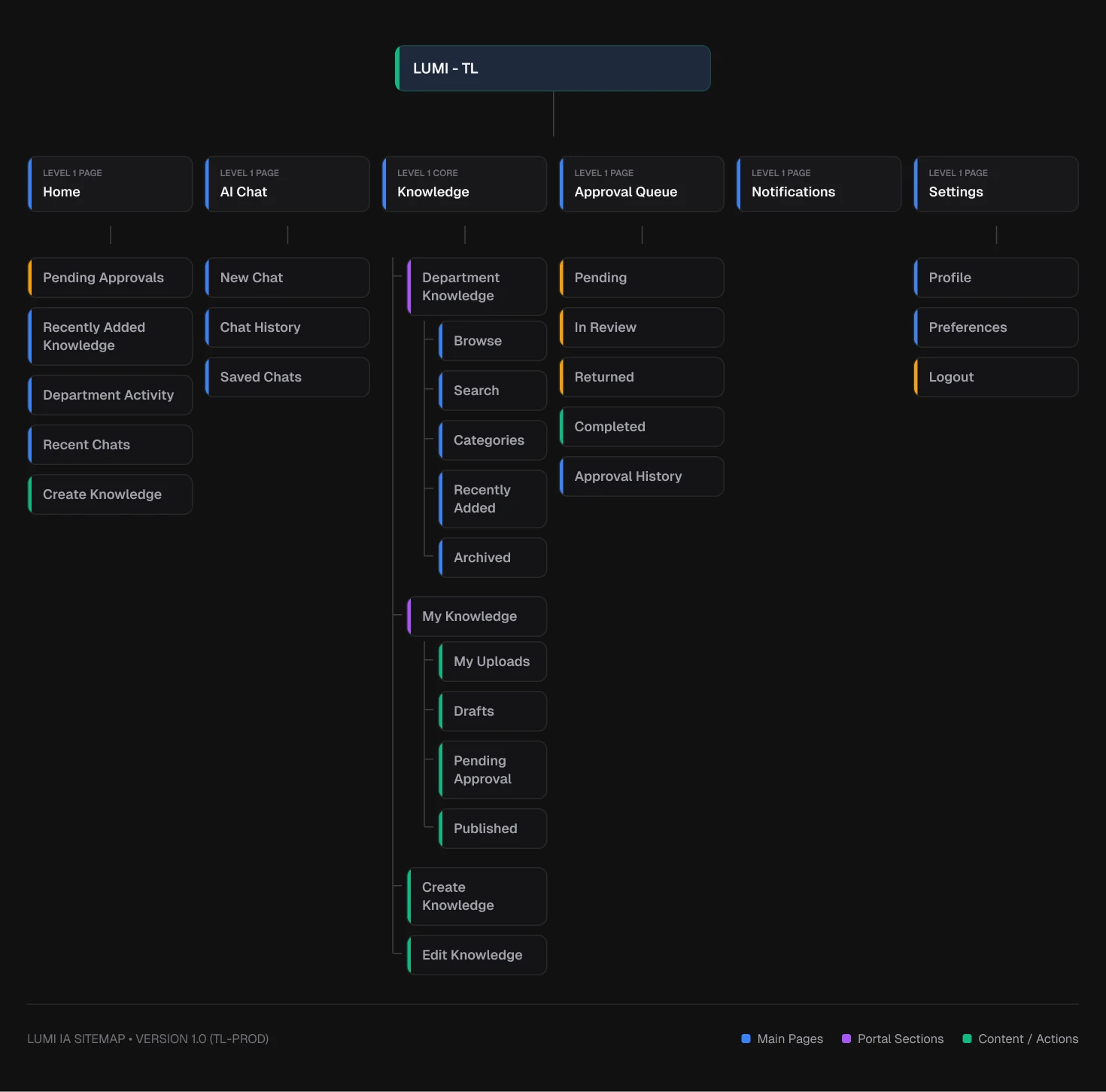
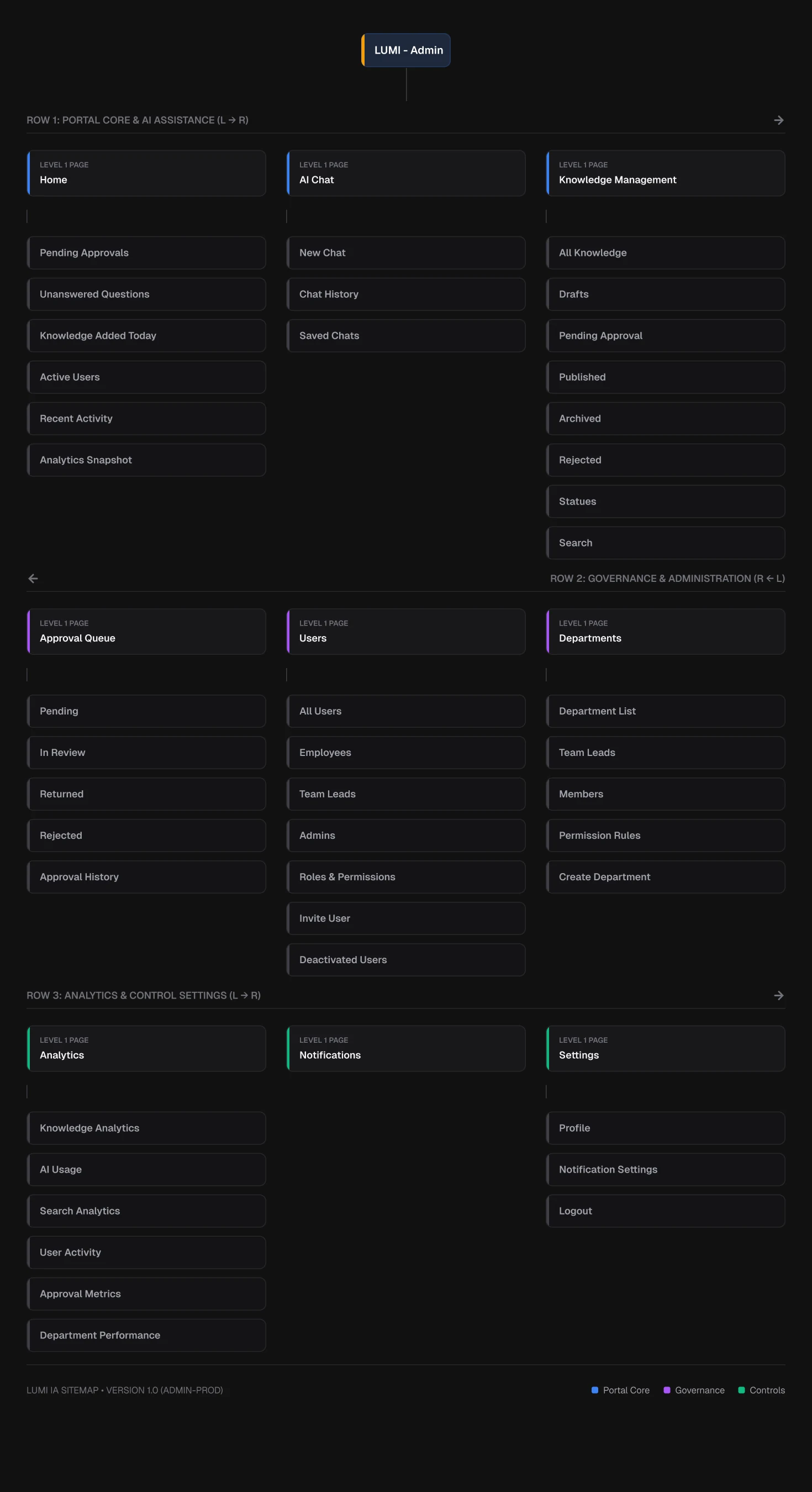
The information architecture maps out how each user role navigates LUMI, from discovering knowledge to contributing and approving it. These diagrams shaped the screen structure and permission logic that followed.
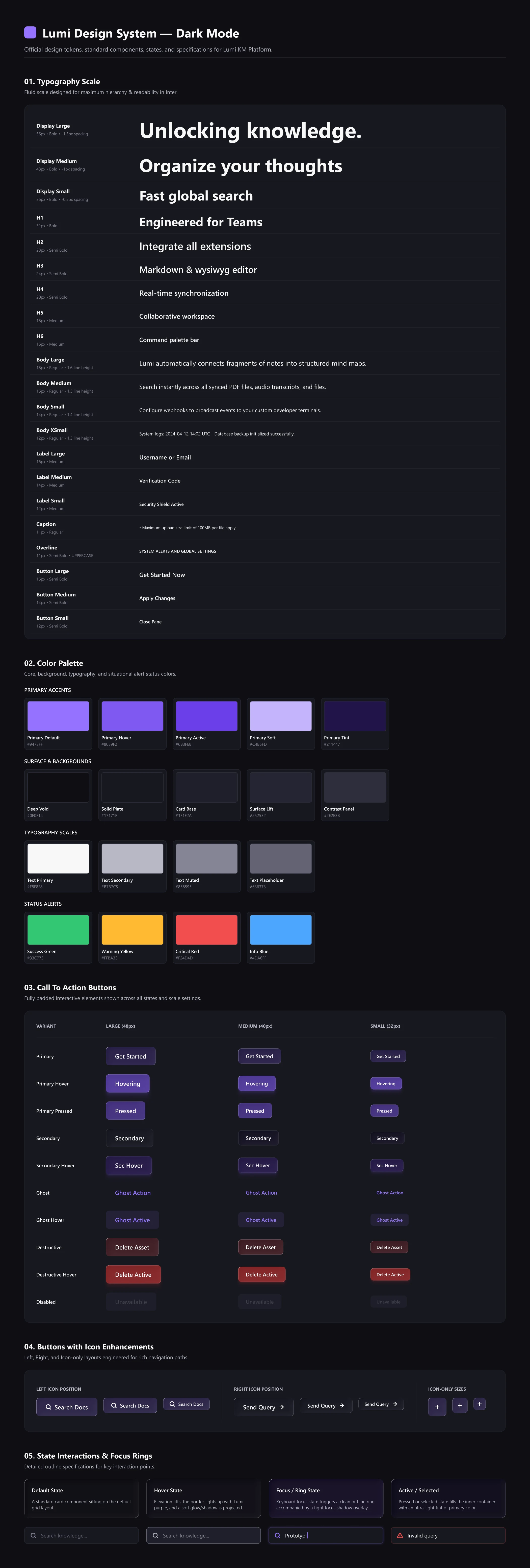
A lightweight design system was built to ensure visual consistency across LUMI's dark and light modes, covering color tokens, typography scales, spacing primitives, and reusable components.
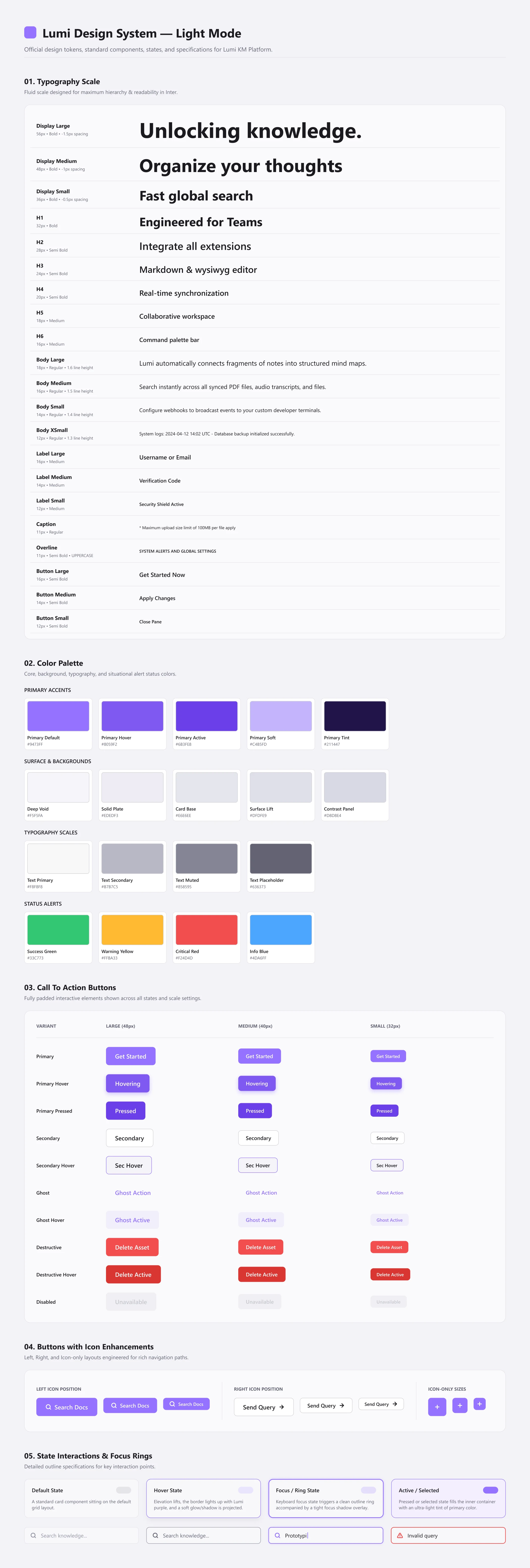
The final screens bring together the IA, decision framework, and design system into a production-ready interface, covering chat, dashboards, knowledge management, and content creation flows for employees, Team Leads and admins.
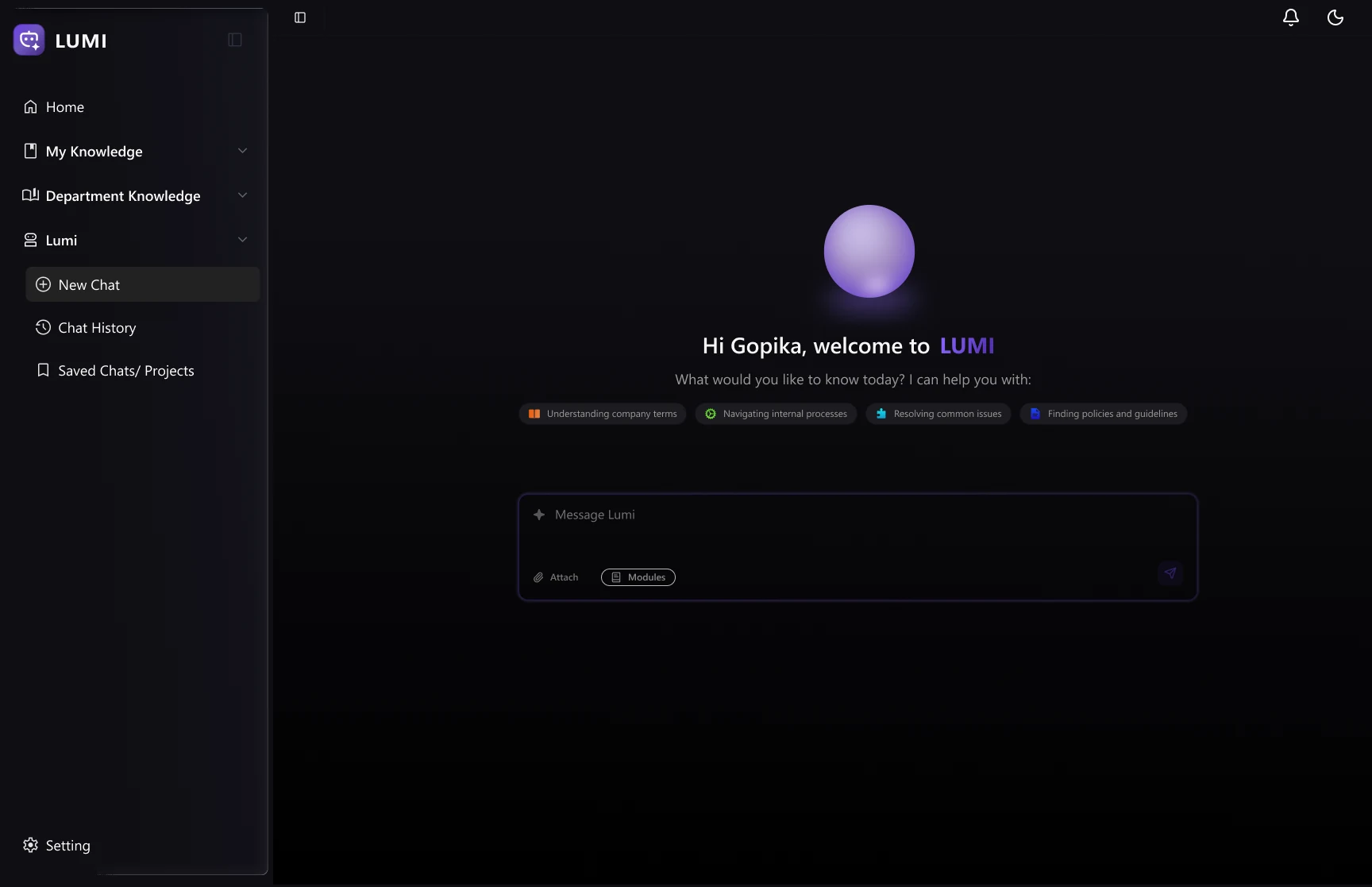
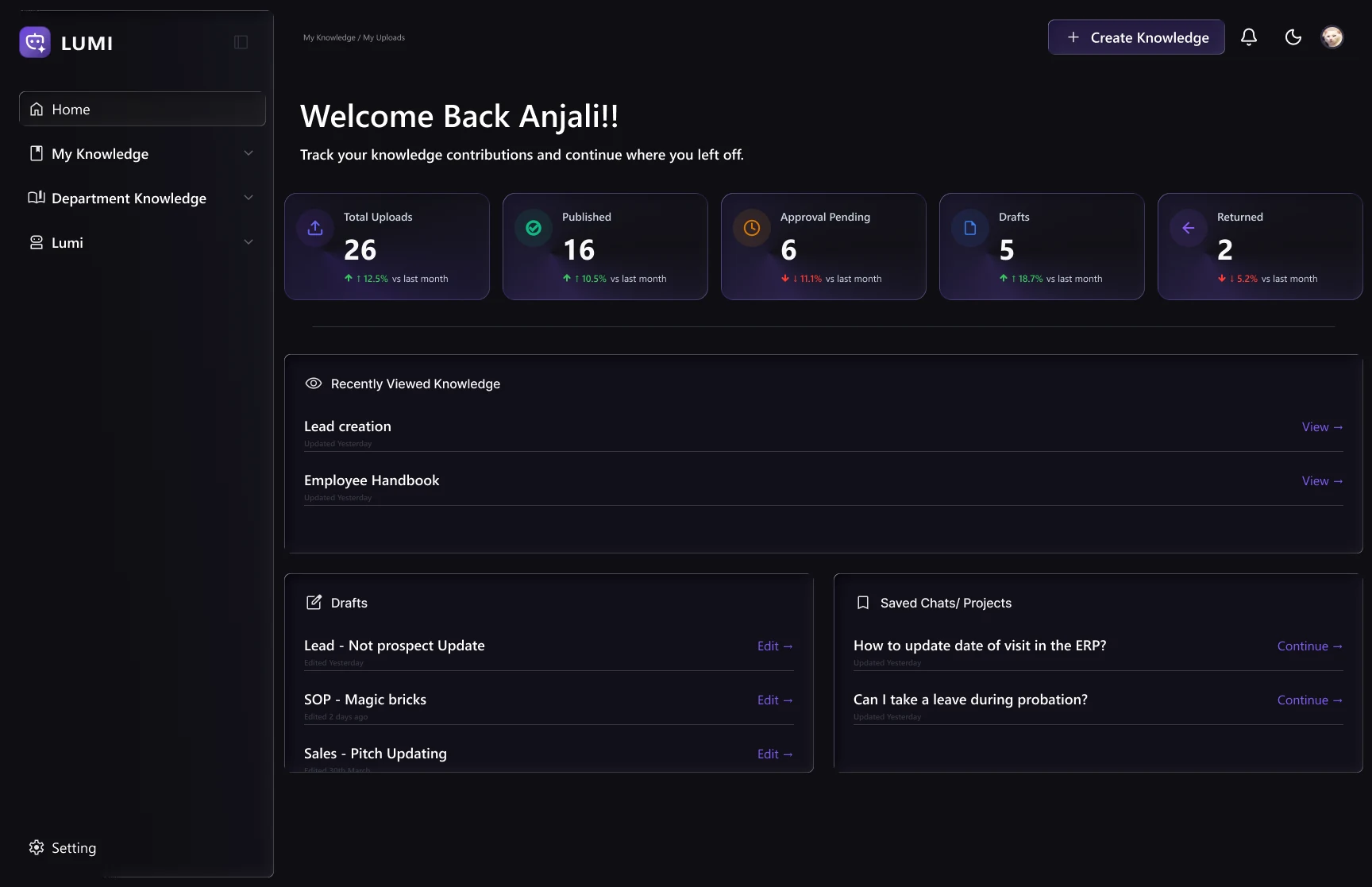
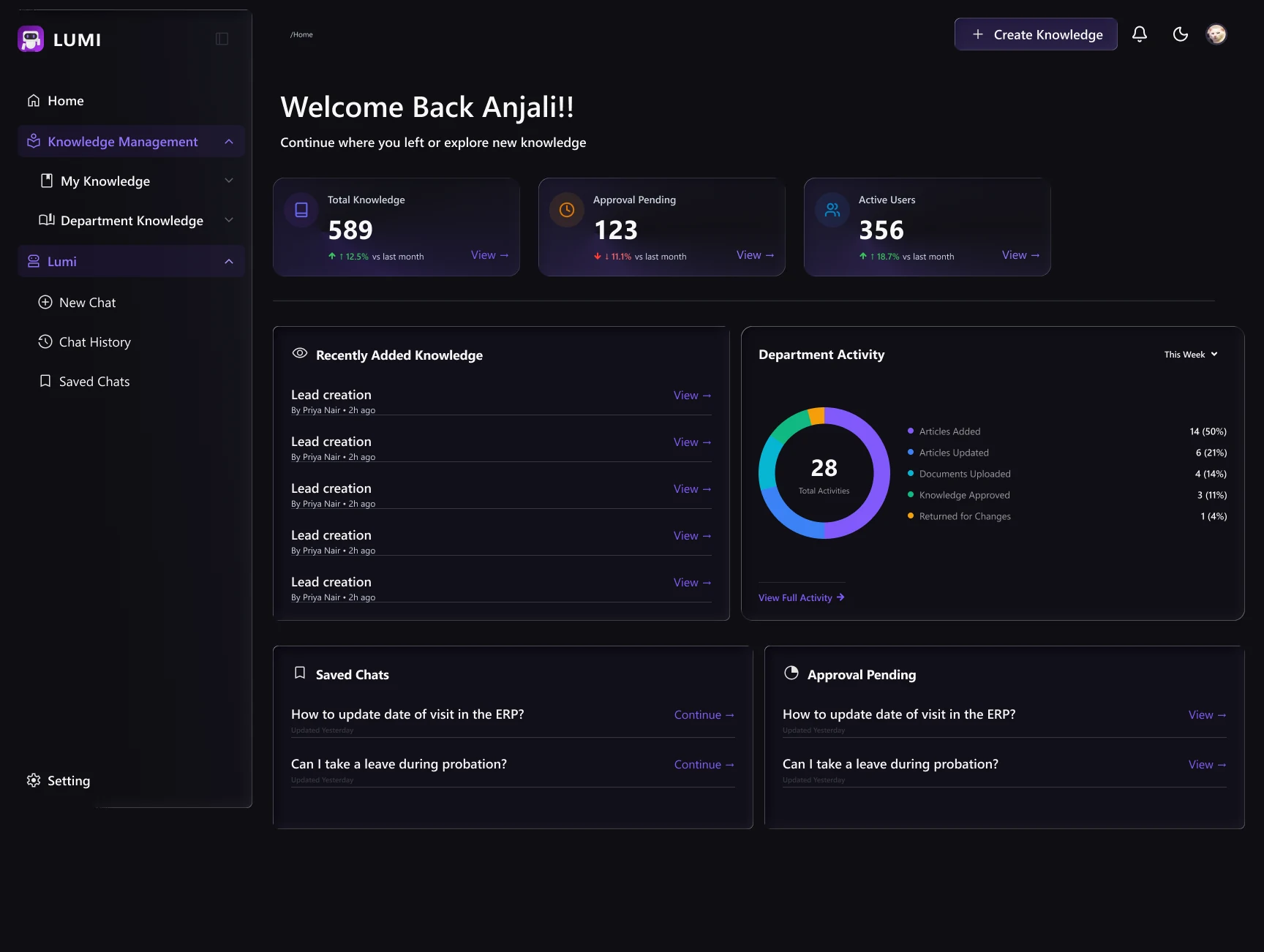
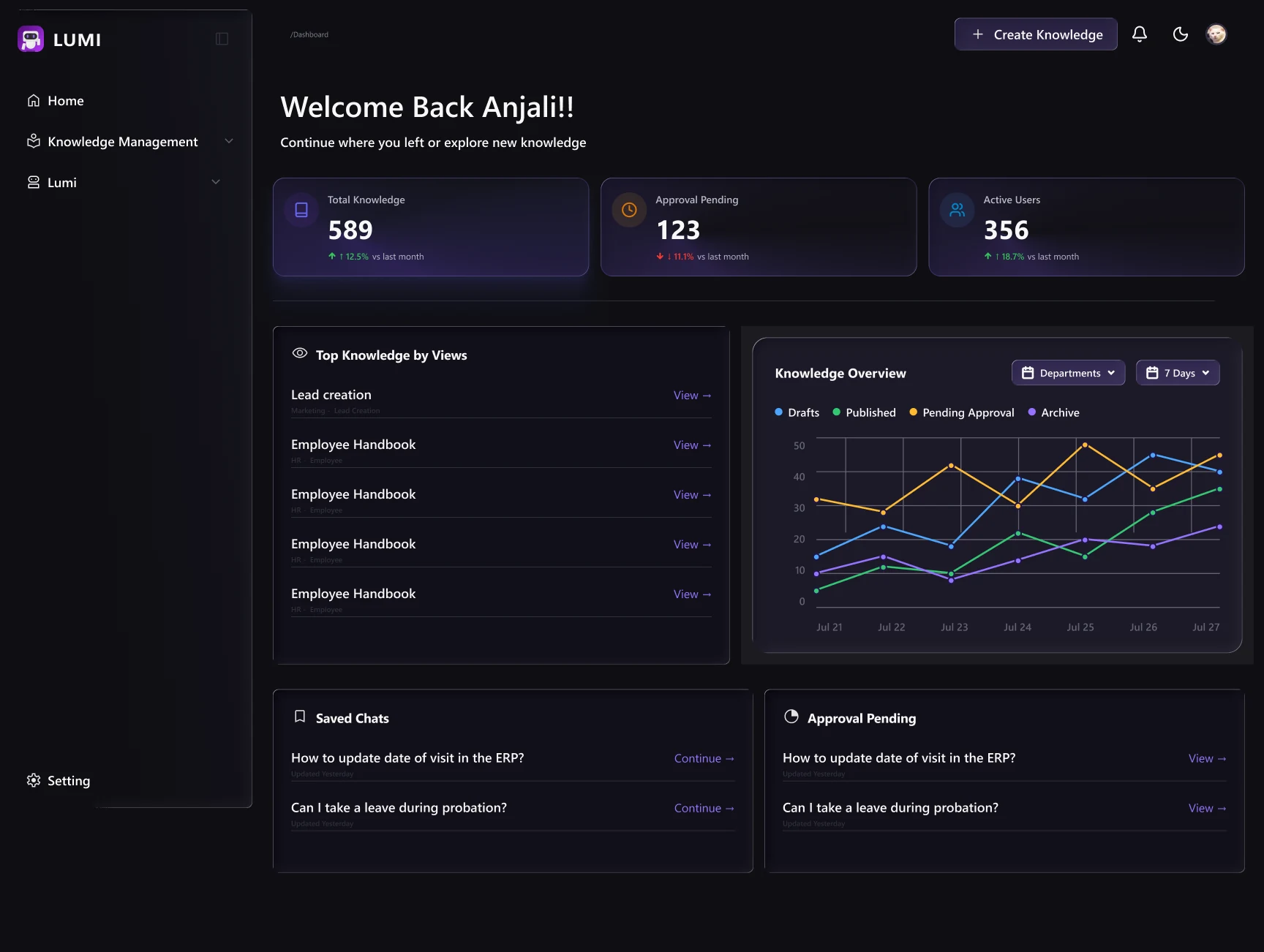
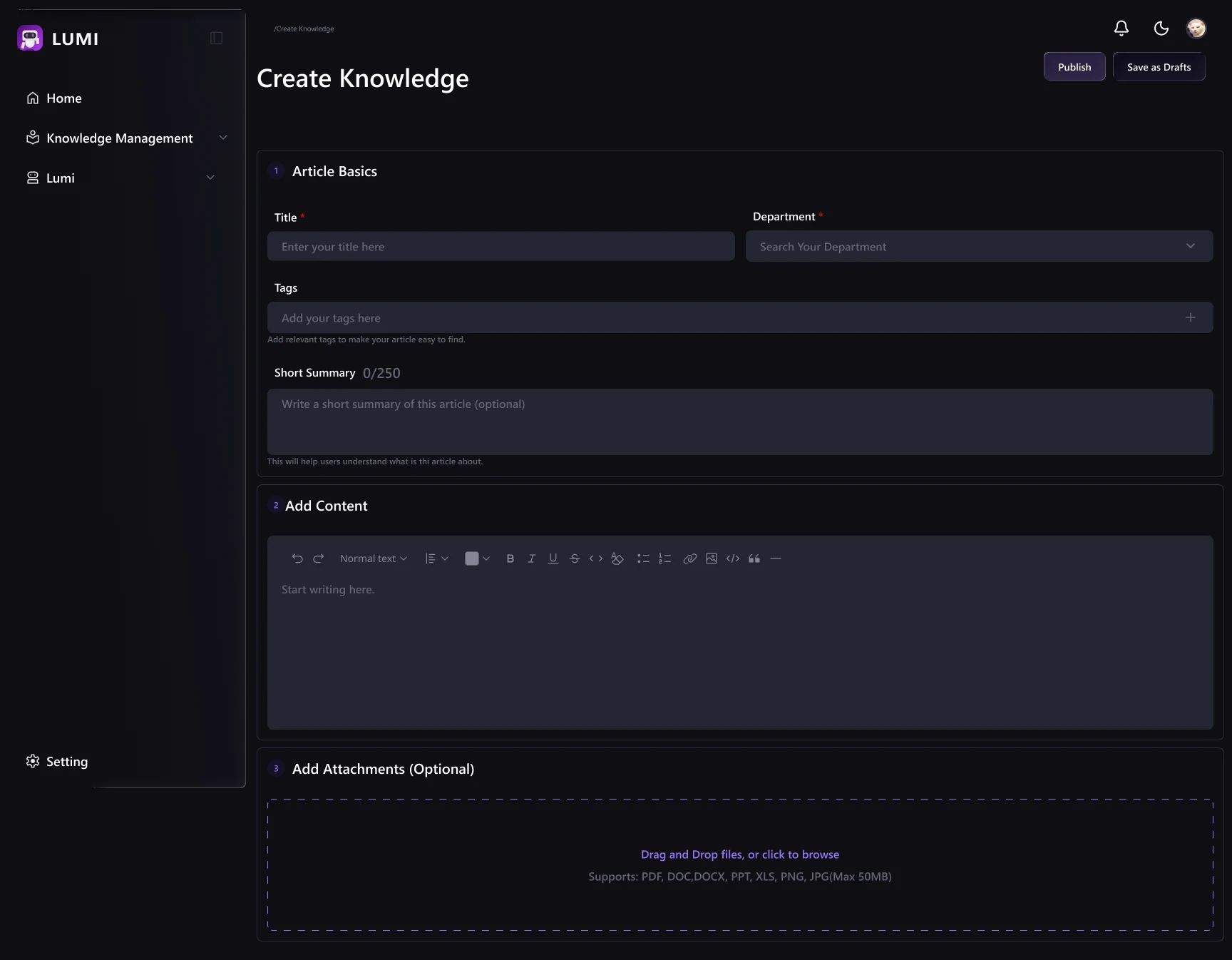
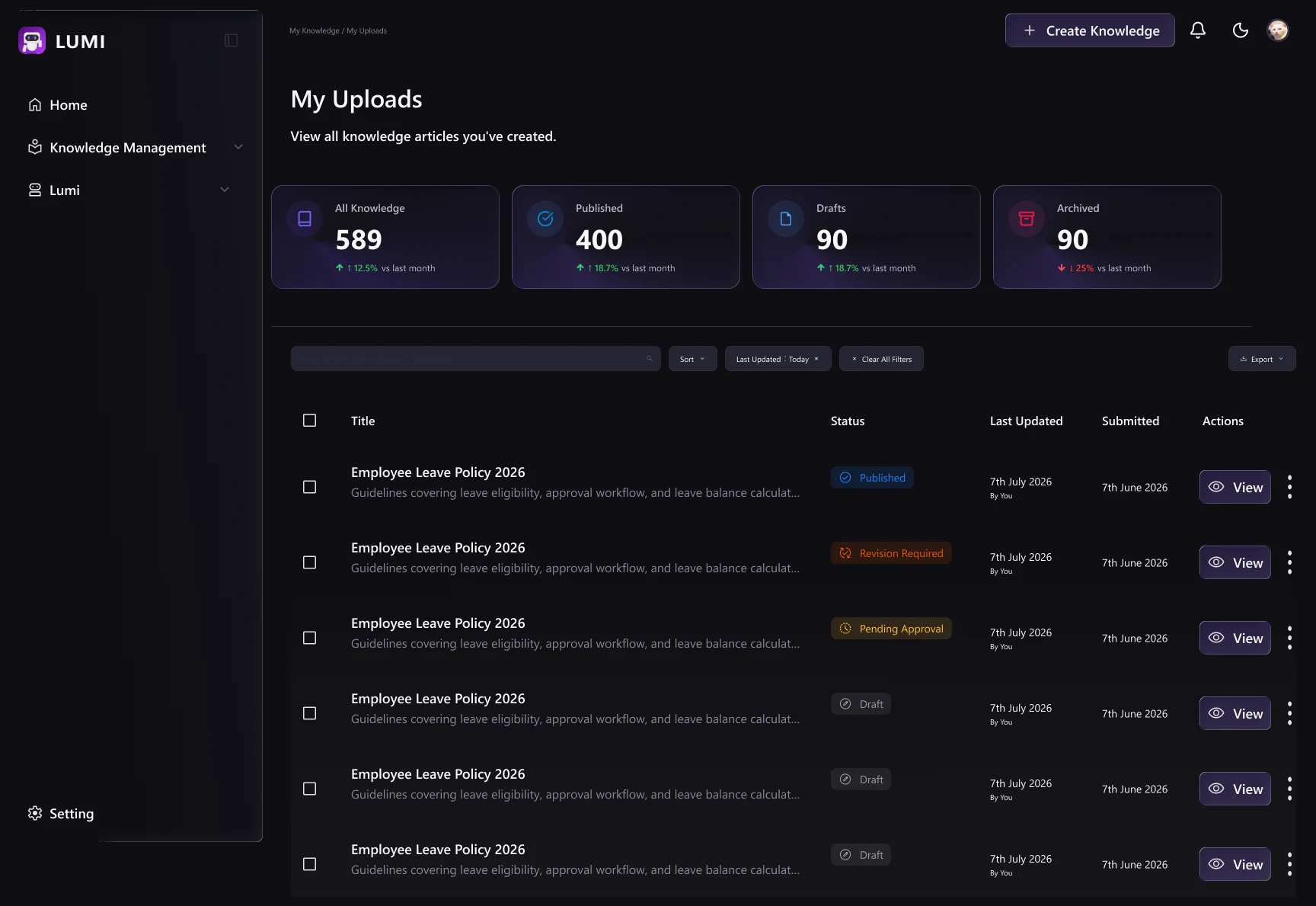
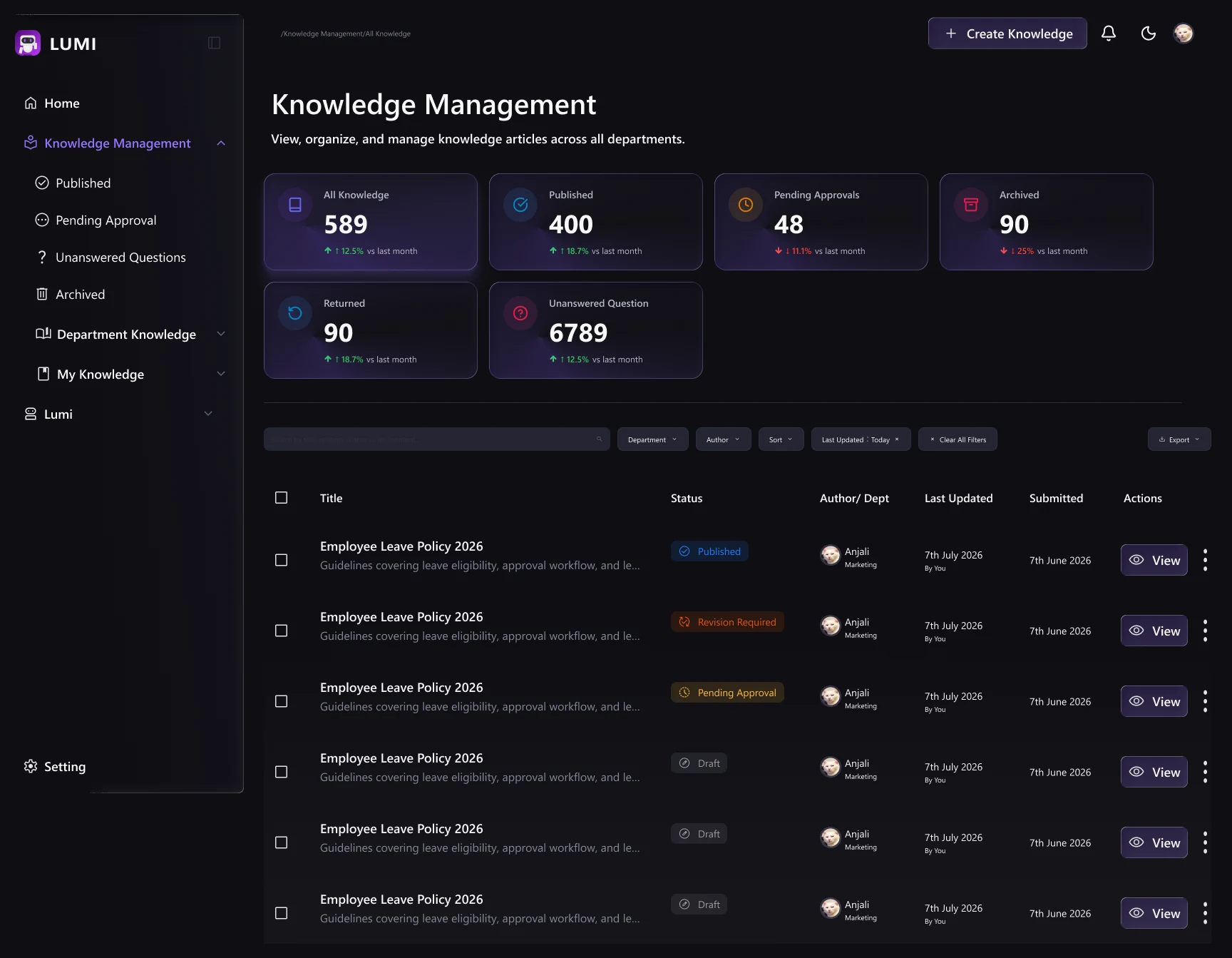
Building an AI that could answer questions wasn't enough; the harder work was making every answer traceable to an approved, human-reviewed source.
For an internal knowledge tool, they are the experience, since employees only rely on answers they can trust.
The unanswered-questions loop turned out to be one of the most important flows in the system, since LUMI's value compounds every time a gap gets closed and fed back in.
Test the cross-department approval flow with real multi-department content to confirm TLs aren't blocked waiting on each other unnecessarily.
Explore lightweight ways for employees to rate answer helpfulness beyond a single Yes/No, giving admins better signal on where knowledge is thin.
Once live, track how often the unanswered-questions loop gets triggered, a high rate in one department would flag where the LMS gap is largest and where content should be prioritized.