01
Find
Filter rooms by capacity, layout, and facilities
A workplace booking experience designed to help users quickly discover suitable meeting rooms, check availability, and complete reservations without unnecessary friction.
In busy workplace environments, finding an available meeting room at the right time shouldn't require a masterclass in coordination. This project aims to bridge the gap between instant availability and structured planning, allowing team members to secure spaces in seconds.
Filter rooms by capacity, layout, and facilities
View real-time daily schedules and blocks
Select slots and instantly secure with one tap
Track, modify, or release upcoming reservations
Users should be able to book a room quickly without navigating through unnecessary steps, complicated forms, or confusing calendar schedules.
Users still need enough context to confidently choose a room, including real-time daily availability schedules, amenities, seat capacity, and exact floor maps.
“The challenge wasn't simply designing a calendar or booking form. It was designing the decision-making experience around the booking.”
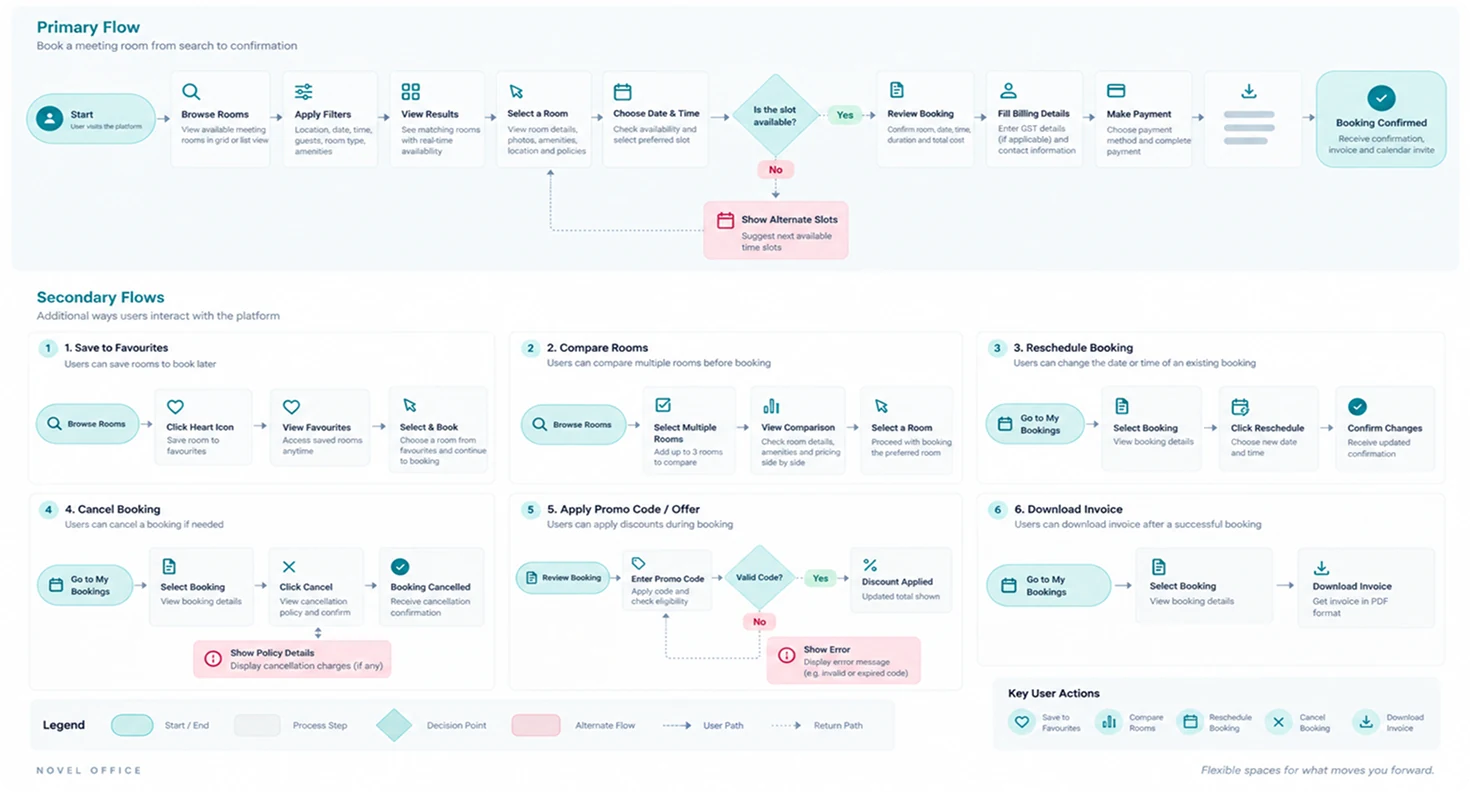
By mapping out precise user actions from first intent to final confirmation, we streamlined the steps required to identify conflicts and secure rooms smoothly.
How the interface helps users evaluate rooms using capacity, availability, location, and key amenities dynamically.
How users intuitively understand room availability throughout the day to choose a suitable timeframe without conflicts.
How the booking checkout sheet keeps the user focused on necessary input fields, skipping slow onboarding dialogs.
How users effortlessly modify schedules, coordinate with guests, or release booked spaces they no longer need.
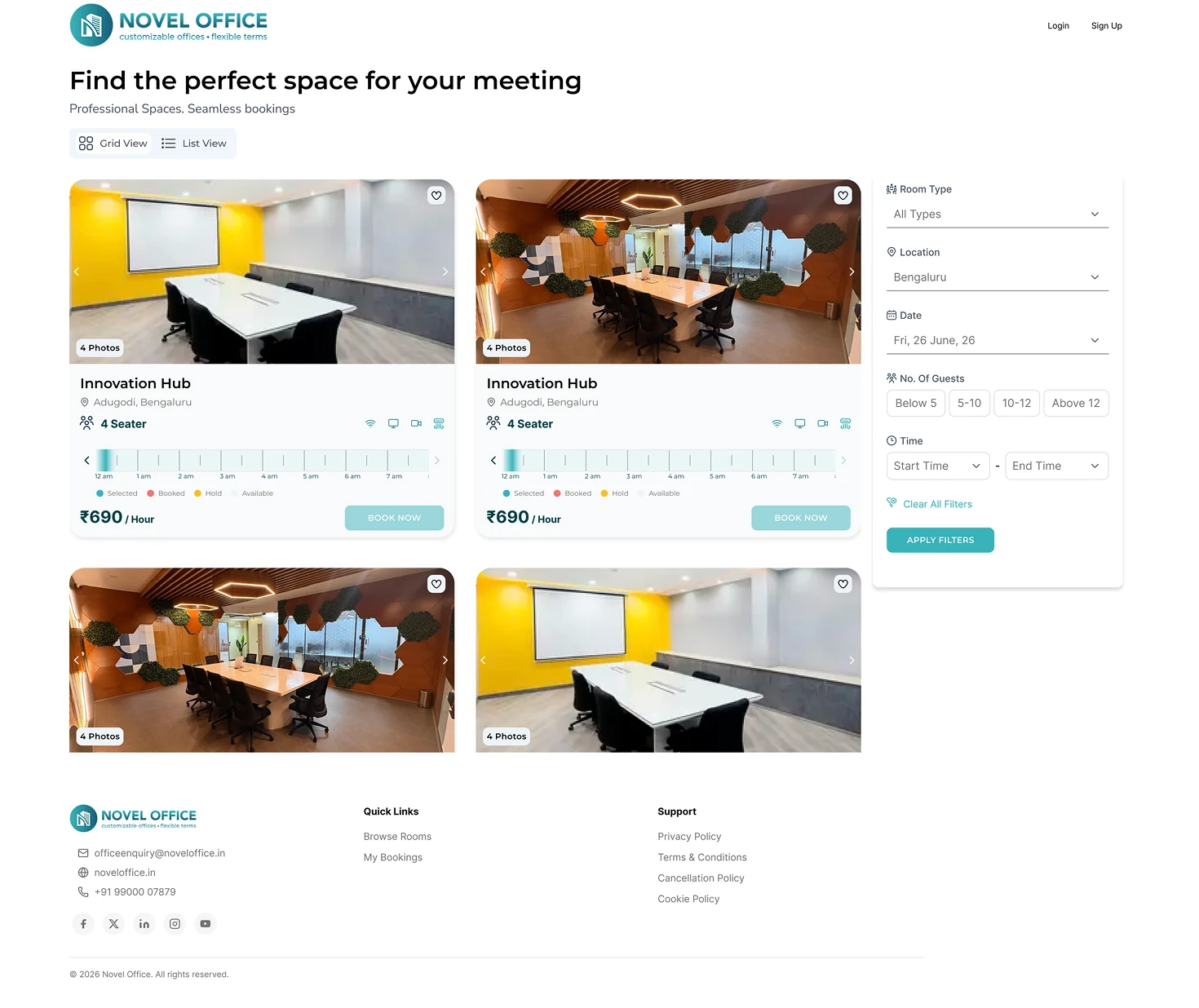
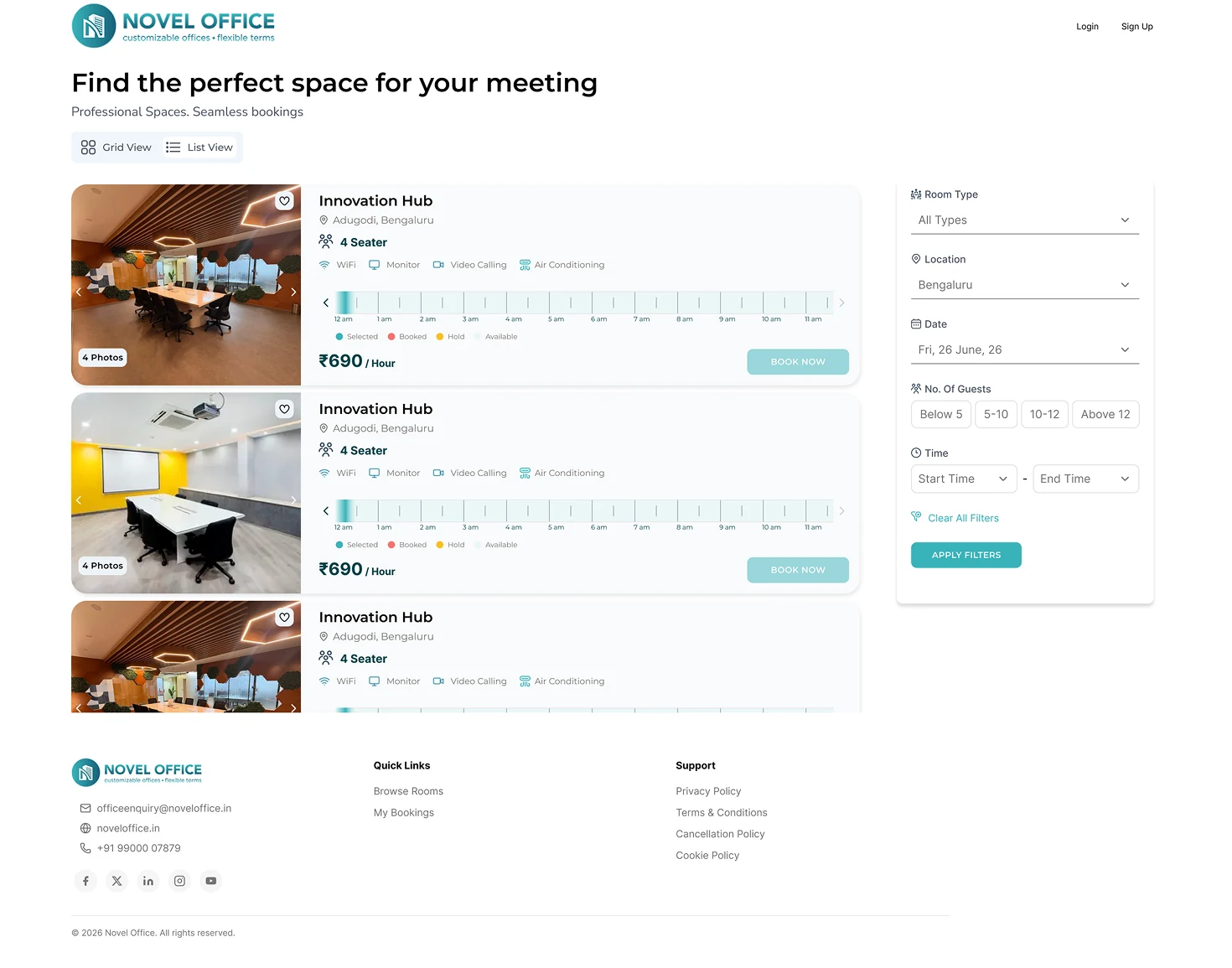
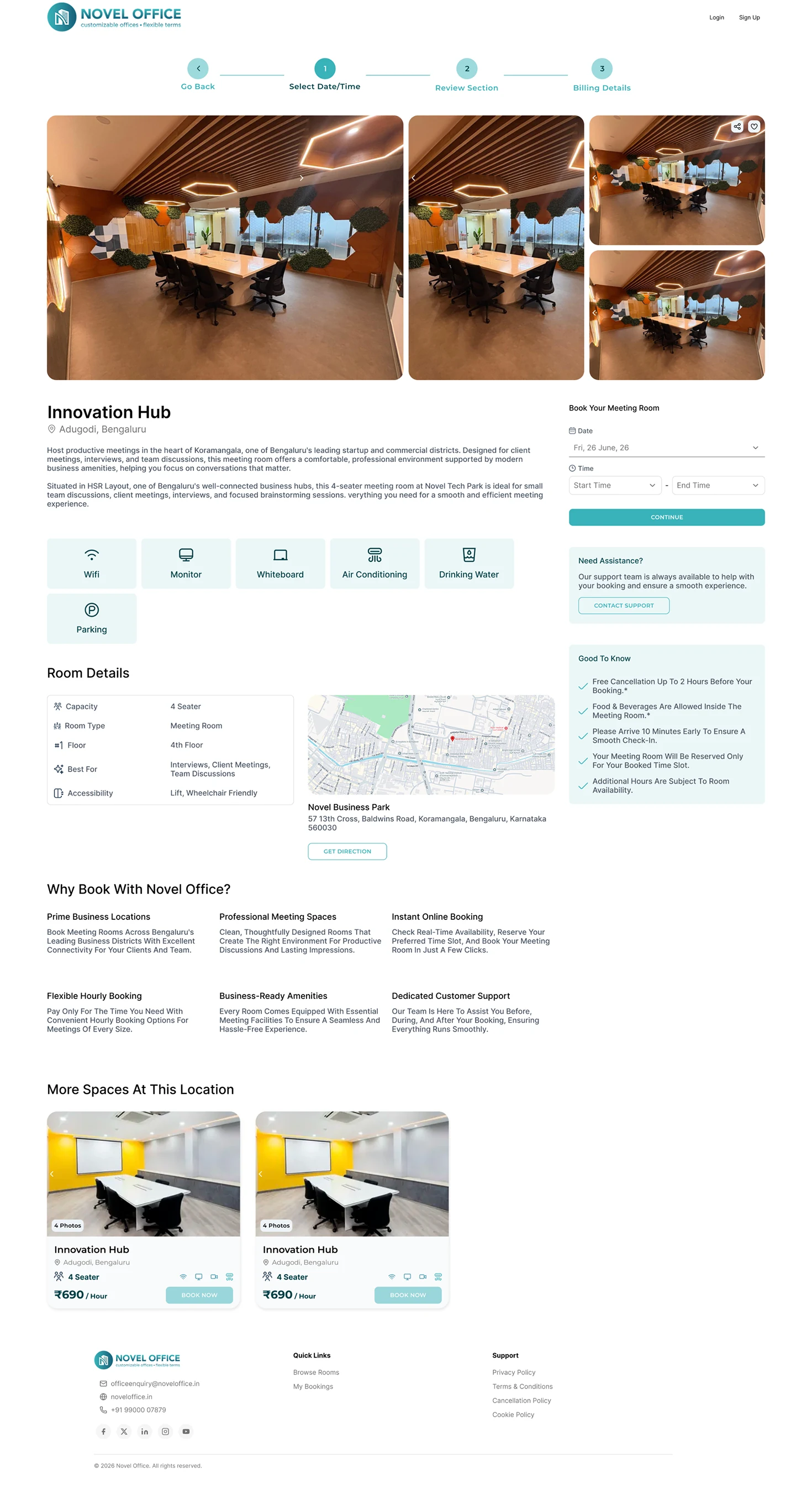
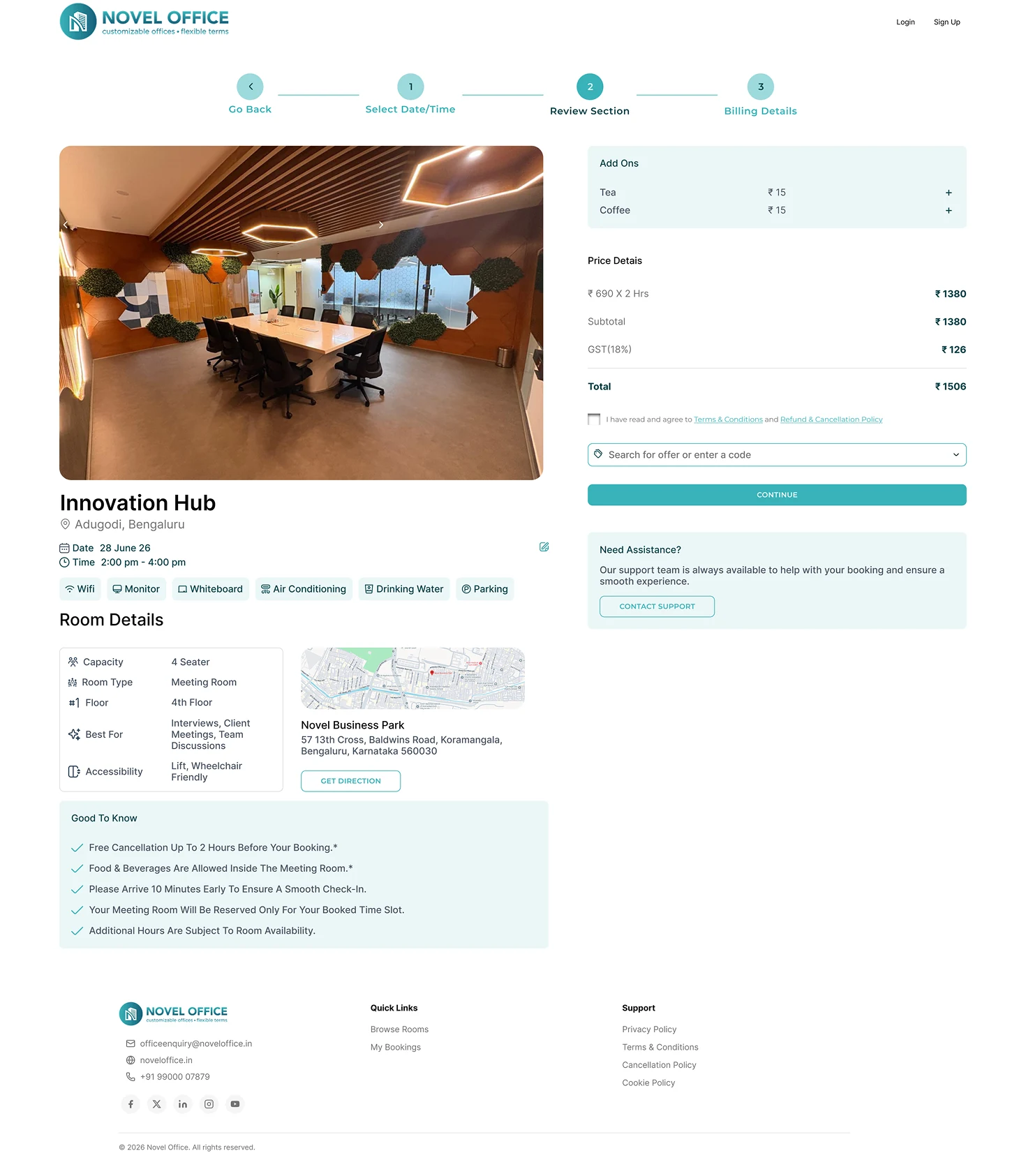
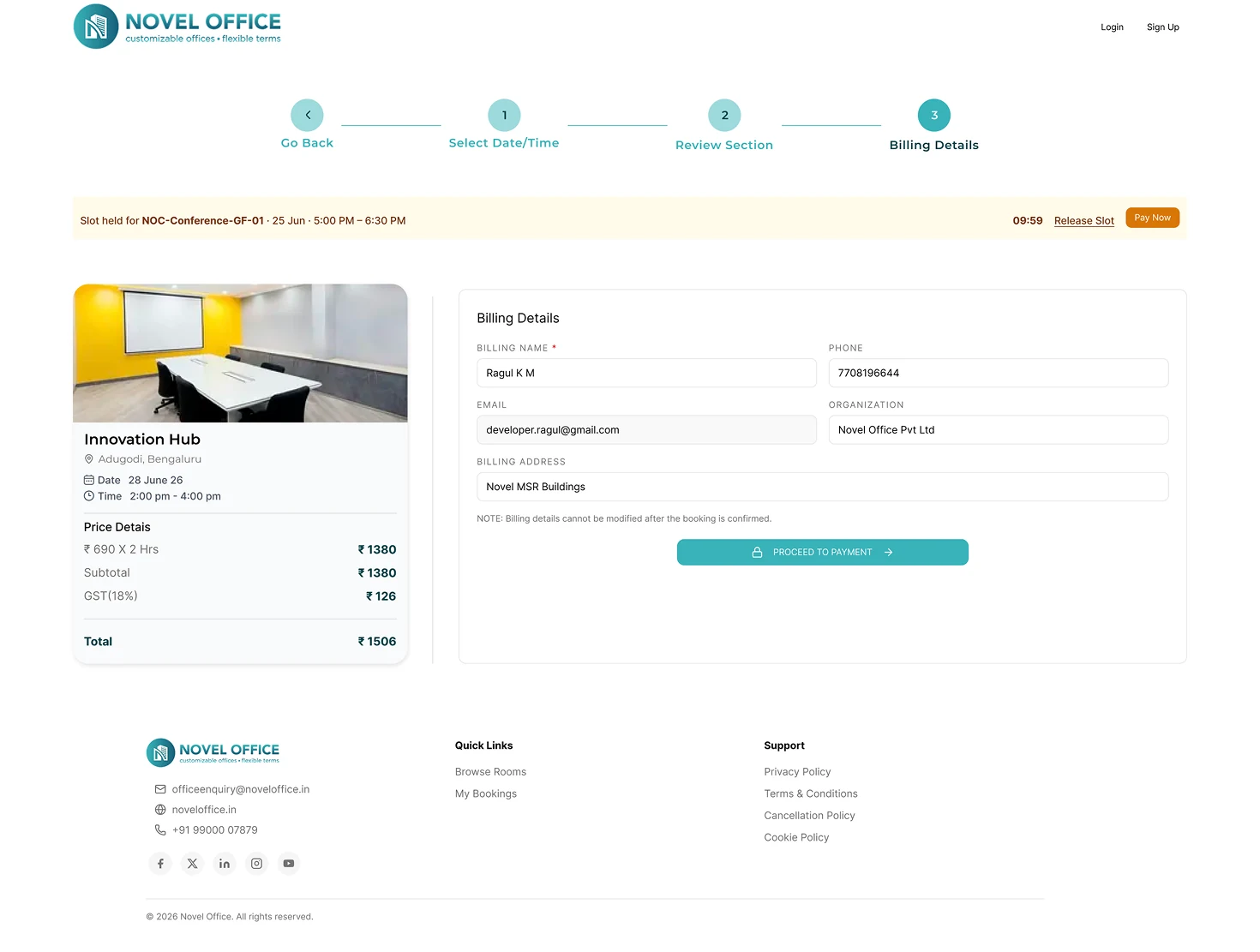
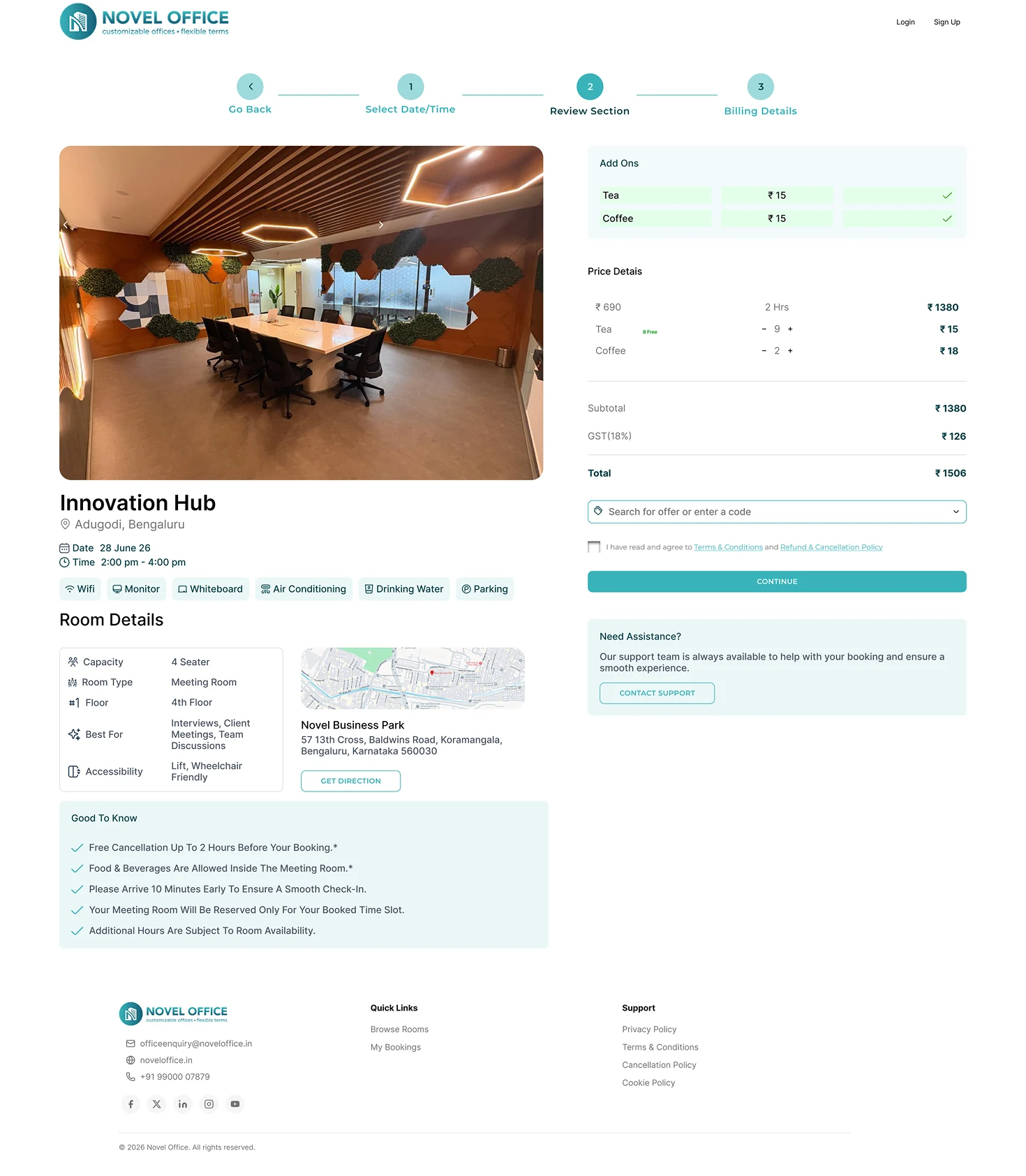
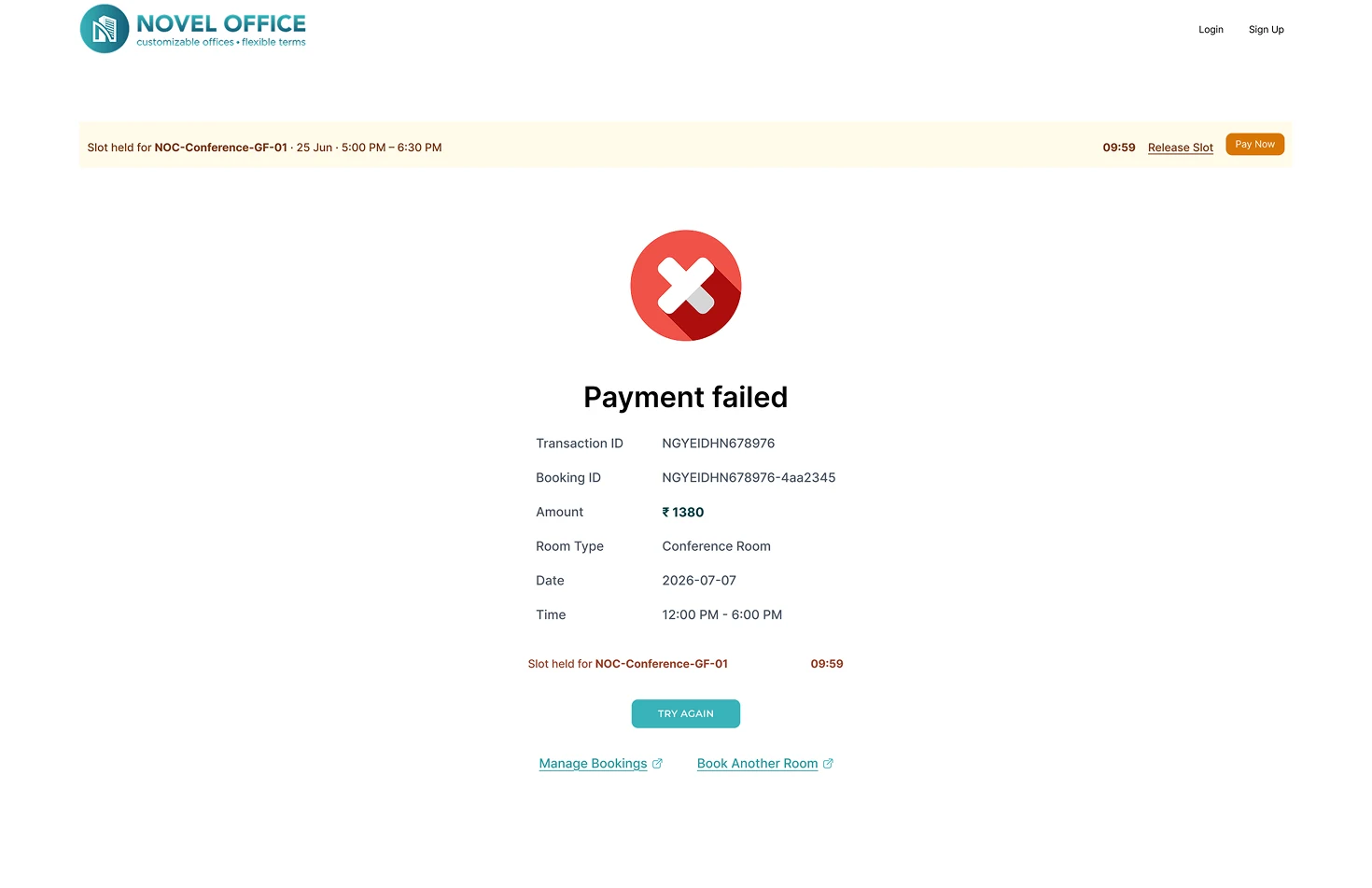
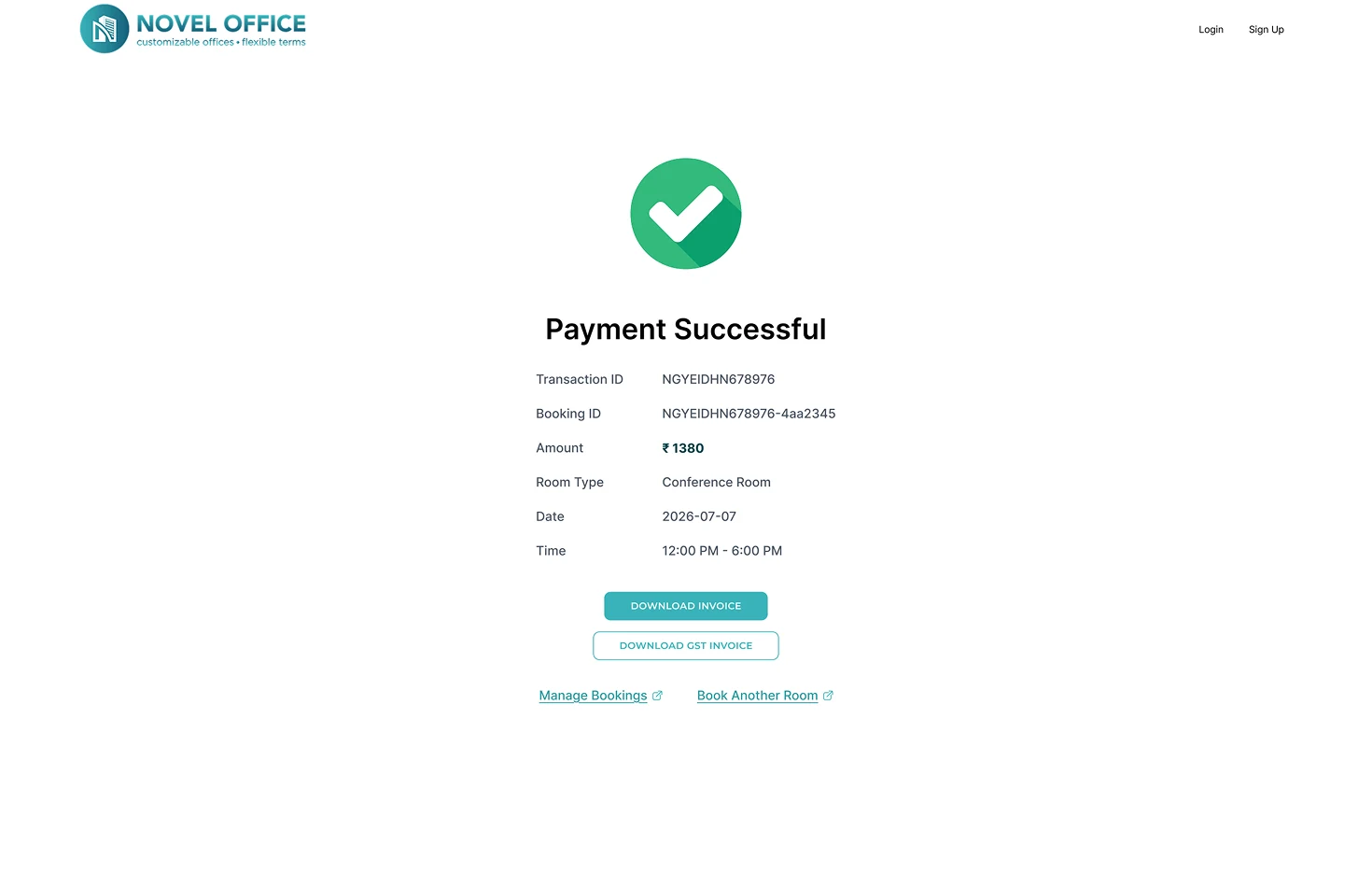
Built using the existing Novel design system, maintaining absolute compliance and consistency across typography, custom components, complex interaction states, and overall minimalist corporate aesthetic.
Perfect interfaces fall short if the user's booking sequence is disjointed. Mapping alternative error-states and cancellation logic early prevented complex dev handoffs.
We discovered that over-indexing on raw metrics (like square footage) was far less helpful to users than clear contextual cues like seat capacity and noise cancellation labels.
The booking process doesn't end with a success toast. Proper coordination with calendar invites, fast calendar updates, and easy booking-releases are what make a workplace seamless.
Run controlled qualitative sessions with busy team leads to optimize booking speed.
Flesh out calendar collision alerts, off-hours bookings, and automatic hold releases.
Design mobile companion experience for quick bookings while walking down the hall.
Incorporate actual usage analytics to prioritize showing the most popular rooms first.